Asia - English


BQ Library
Software Operation
New BQ Library
Step 1: Click BQ Library in the interface of Project Manager.
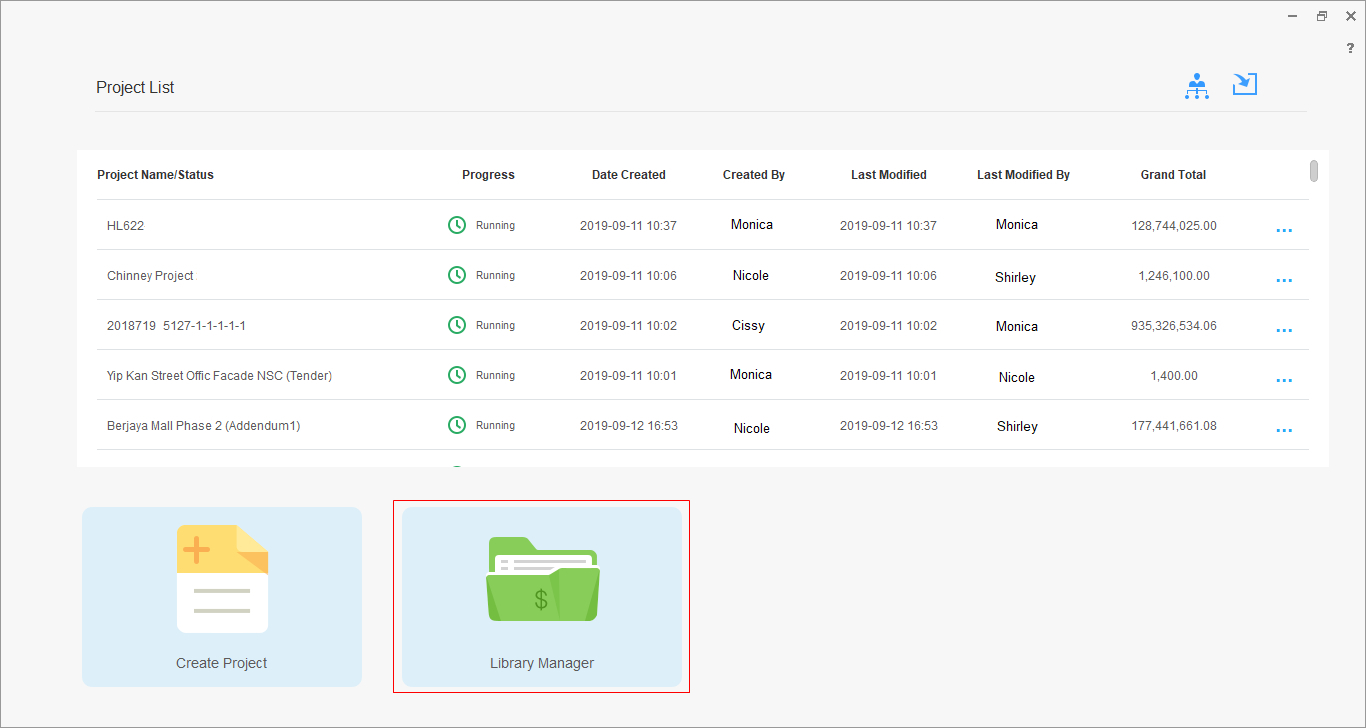
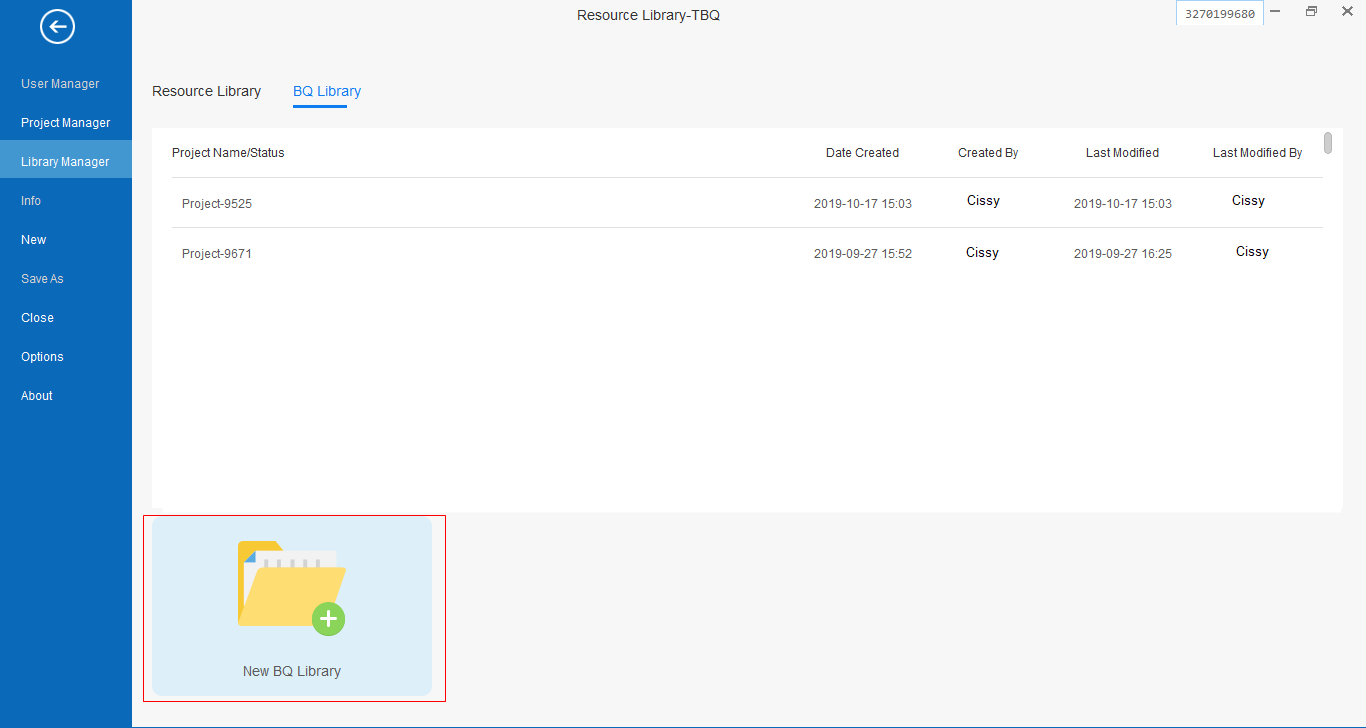
Step 2: Select the tab BQ Library and click New BQ Library .
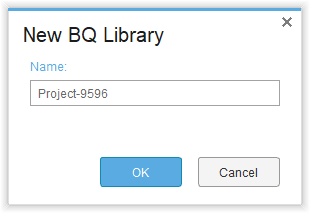
Step 3: Enter the BQ library name and click OK in the pop-up window.
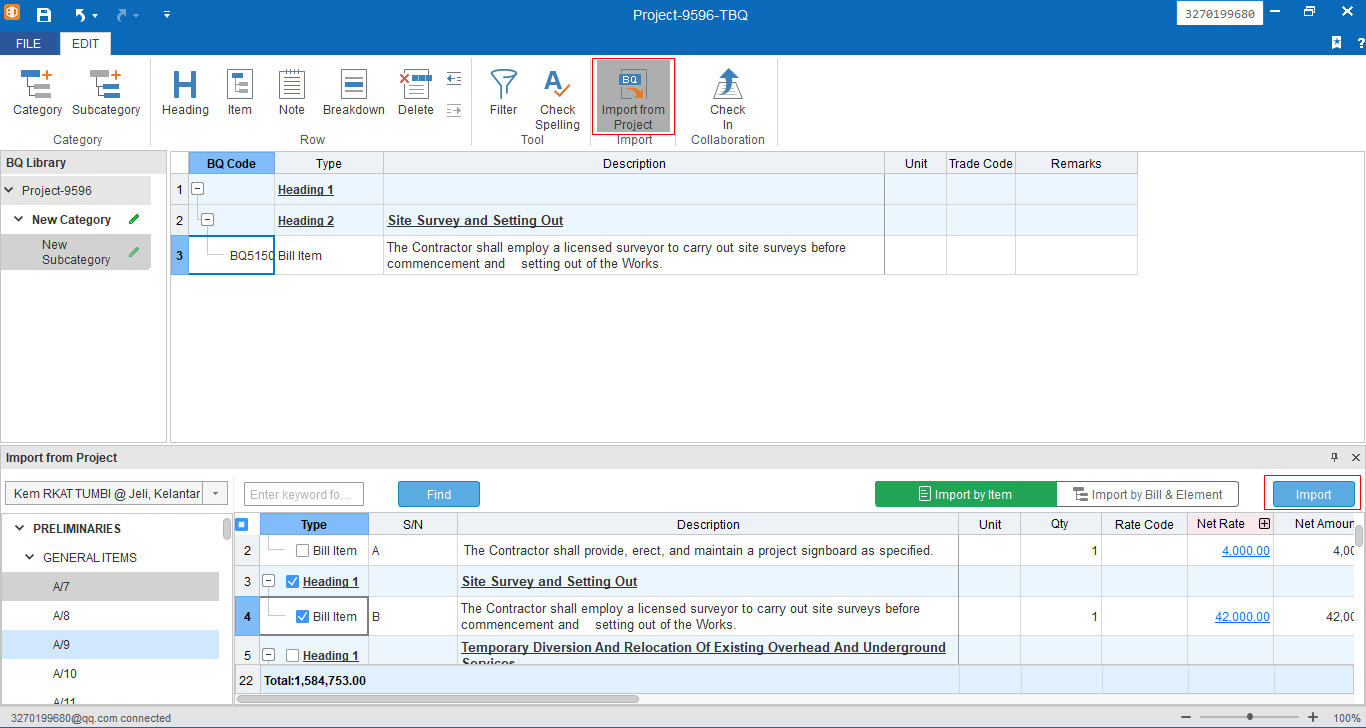
Step 4: Then you can create new categories, subcategories, headings, bill .
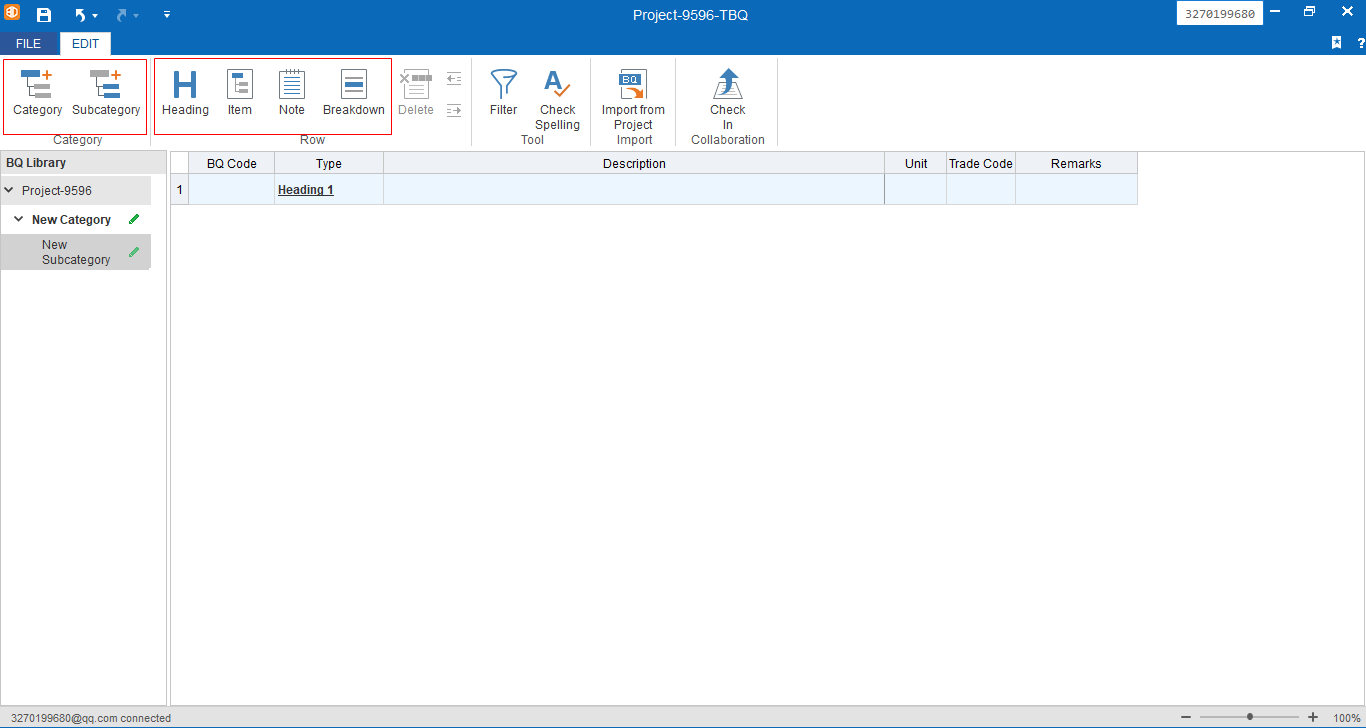
Step 5: Besides creating new categories, subcategories, headings, bill manually, you can import bills from your past projects by clicking Import from Project.